
Why Does Software Need Updates. Imagine driving a car for years without ever changing the oil, replacing worn brake pads, or tuning the engine. Eventually, the vehicle’s performance drops dramatically, essential mechanical parts fail, and your overall safety on the road is seriously compromised.
A laptop operates under the exact same principle. Many users treat software updates as an annoying disruption to their daily routine, repeatedly clicking the “Remind Me Tomorrow” button. However, staying up to date is essential for overall device health. So, why does software need updates to keep the laptop in good condition?
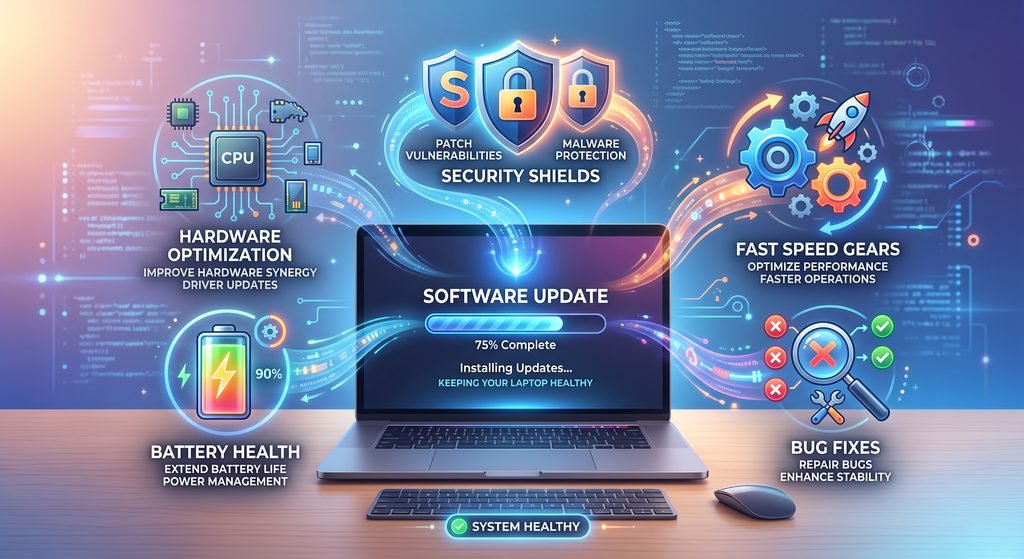
Software updates keep a laptop in good condition by patching security vulnerabilities, fixing performance-draining bugs, maintaining hardware compatibility, and optimizing system resource usage. Without regular updates, a laptop gradually becomes sluggish, prone to system crashes, inefficient with power consumption, and exposed to severe threats.
       +-------------------------------------------------------+
       |           REGULAR SOFTWARE UPDATES                    |
       +-------------------------------------------------------+
            |               |               |              |
            v               v               v              v
      +-----------+   +-----------+   +-----------+  +-----------+
      |  Security |   | Hardware  |   |   System  |  |  Battery  |
      | Patching  |   | Driver    |   | Stability |  | & Thermal |
      | (Shield)  |   | Synergy   |   | & Speed   |  | Control   |
      +-----------+   +-----------+   +-----------+  +-----------+
            |               |               |              |
            +---------------+---------------+--------------+
                            |
                            v
       +-------------------------------------------------------+
       |   OPTIMAL LAPTOP HEALTH & EXTENDED HARDWARE LIFESPAN  |
       +-------------------------------------------------------+
Software updates are divided into three primary layers: operating system (OS) patches, hardware driver updates, and third-party application updates. Each component plays a specific, vital role in maintaining both hardware longevity and everyday system performance. Understanding how these updates function helps keep your machine running cleanly, securely, and efficiently over its entire operational lifespan.
Understanding Software Updates: What Are They and How Do They Work?
To understand how software updates protect a device, it helps to know what a software update actually is. Software is not a static object; it is a complex, evolving collection of millions of lines of code. As tech environments shift, new security risks emerge, and hardware components age, that code requires adjustments to maintain high performance.
+------------------+---------------------------------------------------+-----------------------------------+
| Update Layer     | Primary Target                                    | Main Benefit                      |
+------------------+---------------------------------------------------+-----------------------------------+
| Operating System | Windows, macOS, Linux core modules                | Overall system security & stability|
| Hardware Drivers | GPU, Wi-Fi, Audio, Touchpad, Power Controller     | Smooth hardware-software bridge   |
| Applications     | Browsers (Chrome/Edge), Office suites, Utilities  | Feature stability & app speed     |
+------------------+---------------------------------------------------+-----------------------------------+
Types of Laptop Software Updates
Why Does Software Need Updates to Keep the Laptop in Good Condition? Laptops rely on a multi-layered software ecosystem to function properly. Updating just one area while ignoring the rest can lead to system instability and bottlenecks:
- Operating System Patches: Core updates delivered by Microsoft (Windows Update), Apple (macOS Software Update), or Linux distributions. These updates alter system-level protocols, patch background processes, refine security frameworks, and manage system resources.
- Hardware Driver Updates: Drivers act as the digital translation layer between the operating system and physical hardware. Updating drivers for graphics cards (NVIDIA, AMD, Intel), WiFi adapters, Bluetooth modules, touch pads, and audio chips ensures the OS communicates clearly with physical components.
- Third-Party Application Updates: Web browsers, video players, office productivity tools, and creative suites need regular maintenance. Outdated browsers are one of the most common access points for web-based malware and malicious scripts.
System Patches vs. Feature Upgrades
It is important to differentiate between standard system patches and major feature upgrades, as they serve entirely different roles in system maintenance:
- System Patches: Small, frequent releases (often distributed weekly or monthly) focused on fixing known software bugs, closing security gaps, and polishing existing features. These are lightweight downloads designed to maintain day-to-day stability without drastically altering the user interface.
- Feature Upgrades: Substantial annual or bi-annual releases that introduce new functionality, redesign interface elements, and restructure deep system architecture. While feature upgrades deliver modern tools, system patches act as the routine maintenance workhorse that keeps system performance steady and reliable.